


 Copy Link
 Share on X
 Share on Facebook
 Share on LinkedIn
Always Active
Required for core functionality such as security, network management, and accessibility. These cannot be disabled.

Uncover the transformative potential of digital and mobile solutions for your industry.





 Last Updated: Nov 23, 2026
Nov 23, 2026
 1
 19 min. Read


Key Takeaways
You open your banking app to check a charge and download your latest statement. The PDF has someone else’s name and transactions on it. Could someone else download mine?
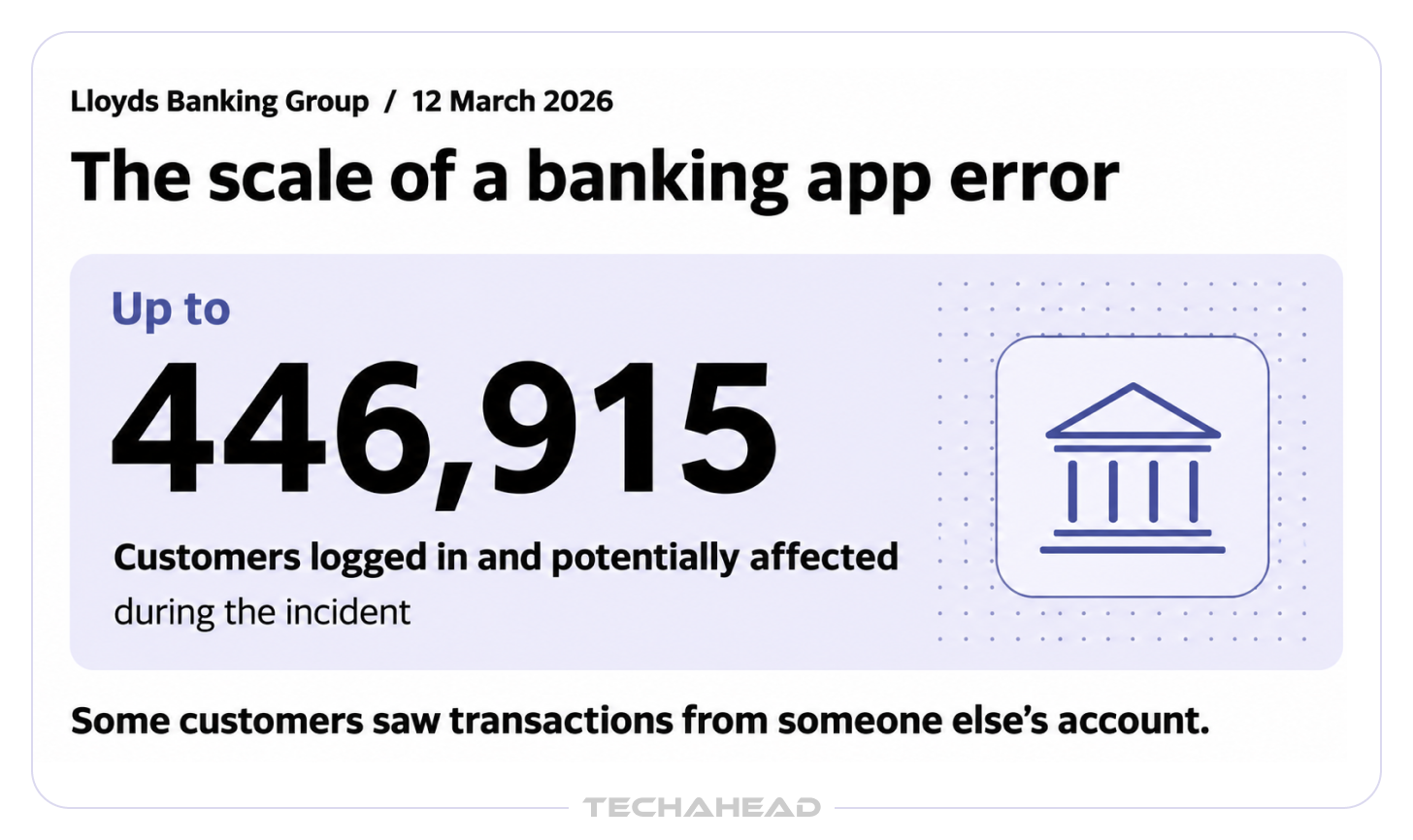
Something similar happened in March 2026. An overnight software update left some Lloyds Banking Group customers looking at another person’s transactions in their banking app. In its final update to the UK Parliament’s Treasury Committee, the bank said up to 446,915 customers who signed in during the incident may have been affected.
In a business app, the same gap can expose invoices, private reports, or customer files shared with a partner.
Now the question remains: Does patching PHP make my application secure?
A patch addresses the flaw it was released for. PHP application security also depends on whether your application correctly enforces access controls, authorization rules, session handling, and the business workflows that decide who can view, change, approve, or export data.
For enterprise software teams, security professionals, and business managers responsible for PHP systems in regulated or integration-heavy environments, that distinction matters: a fully patched PHP runtime can still leave sensitive information exposed, allow unauthorized access, or break critical process controls. This blog looks at where those failures appear in practice, including PHP patch deployment, API security, session management, business logic flaws, security auditing, and the end-to-end workflow checks needed after patching.
Also Read: Legacy PHP Modernization: Whether to Upgrade, Refactor, or Rebuild
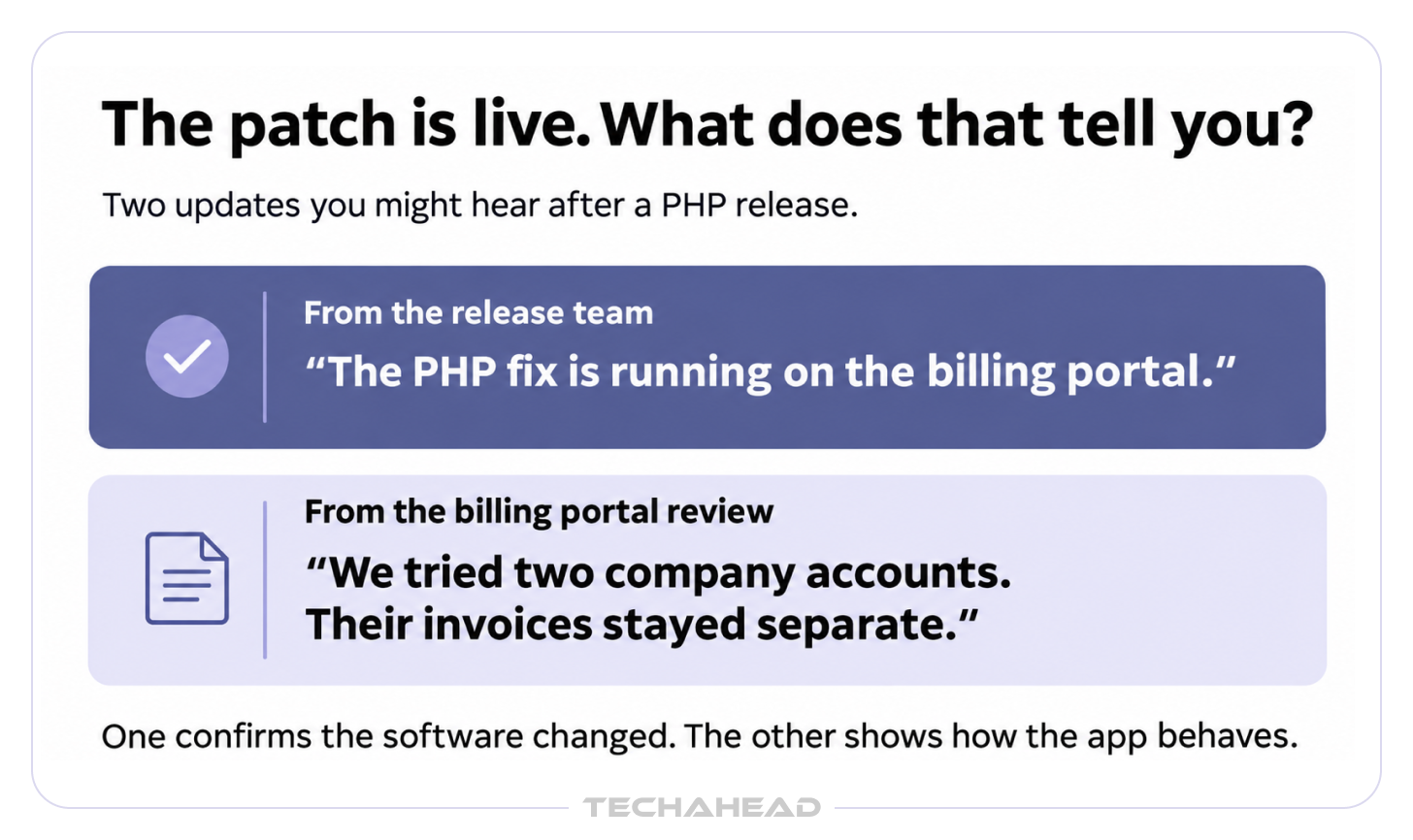
The PHP runtime is the software that runs the application. A fix to that software and a review of what the application lets people do answer different questions about PHP application security.
A patch can change how a feature works, especially when the release also includes changes to sign-in or permissions. An unrelated flaw can also have been there all along. A report that shows invoice access is too broad after the release establishes that the problem exists in the version reviewed. It may take more evidence to tell when the problem started.
A separate question is whether the fix reached every relevant deployment. Our blog on critical PHP security vulnerabilities covers the PHP versions and deployment conditions behind specific vulnerabilities. When part of an application is still running affected software, our PHP vulnerability remediation services can help confirm what’s affected and address the outstanding fix.
Say several businesses use your online billing portal. A finance manager signs in to open an invoice and downloads a copy as a PDF. The company’s accounting software also receives invoice updates through an API, the connection that lets the two systems exchange information. To the finance manager, it’s the same invoice everywhere. The app may handle access separately on the screen, in the download, and through the API.
Broken access control means the app lets someone see or do something outside their permissions. A finance manager can usually see their own company’s invoices. Issuing a credit might be reserved for someone else, and another company’s invoices are private. Those decisions depend on who is asking, which invoice they’re trying to open, and what they’re trying to do with it.
Tenant isolation keeps each company’s records separate even though they share the same app. PHP authorization rules help maintain that separation. When the invoice screen and the PDF download use different rules, the screen can keep records separate while the download still exposes them. The difference can go unnoticed during an everyday visit because both features still open and display an invoice.
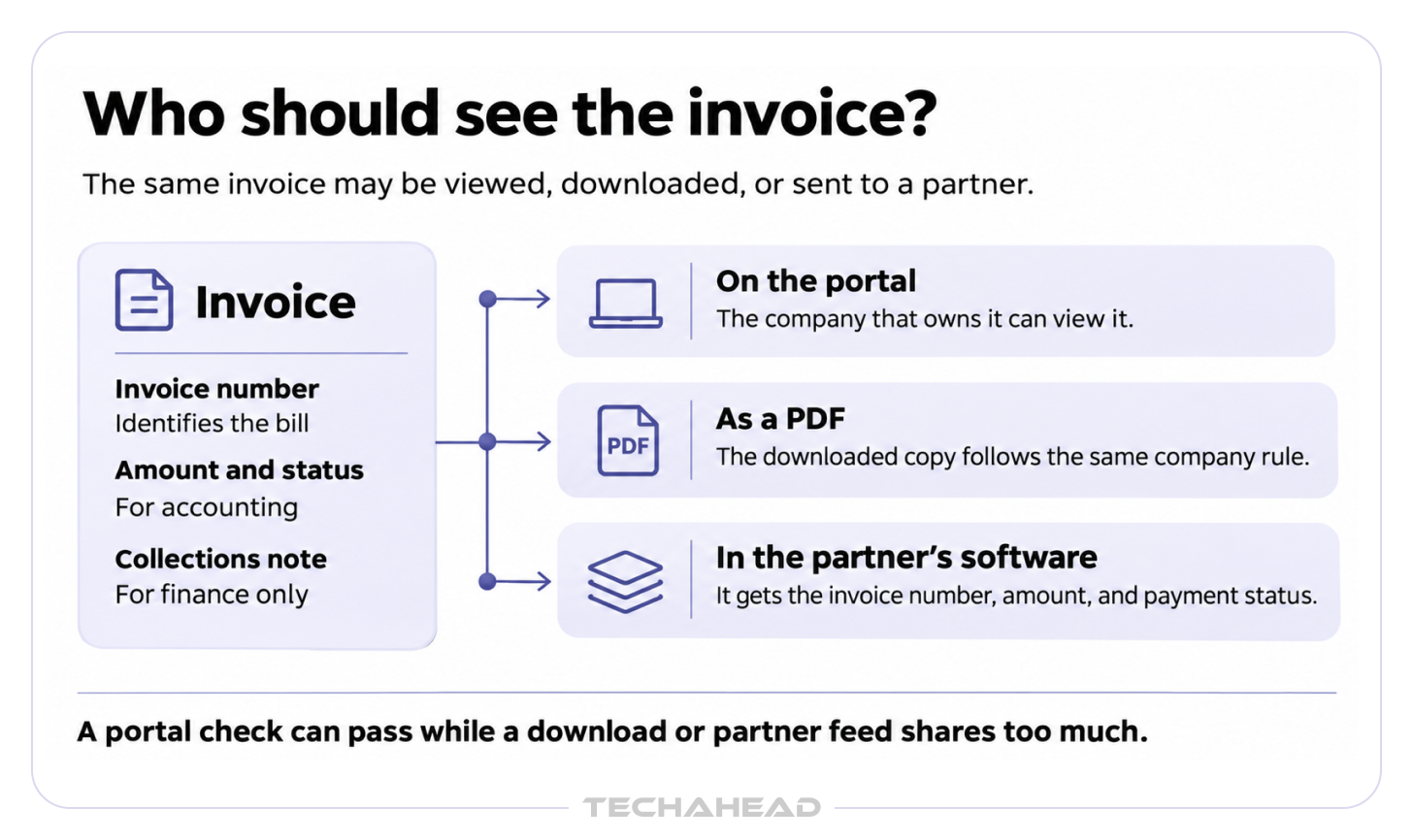
An accounting system that reconciles payments may need the invoice number, amount, and status. A collections note intended for finance belongs to a different audience. API authentication and authorization describe two decisions the app makes here. Authentication establishes which partner is making the request. Authorization determines which invoices that partner can see, what details it receives, and what it can change.
If a partner can see an invoice belonging to another customer, that’s broken object-level authorization. If it gets an internal collections note on an invoice it’s entitled to see, the problem is with access to a detail within that record. OWASP describes both access to the record itself and access to individual details on that record.
In this example, API access control lets the accounting system reconcile payments without taking over work that belongs to finance. API security testing can reveal where those permissions differ from the partner’s actual role.
In open banking integrations, one partner may need read-only access to account activity while another needs permission to initiate payments. A positive API authorization result for one partner connection applies to the permissions covered in that review. Scheduled exports and downloads can send out the same data through different parts of the app. Their behavior may still be unknown.
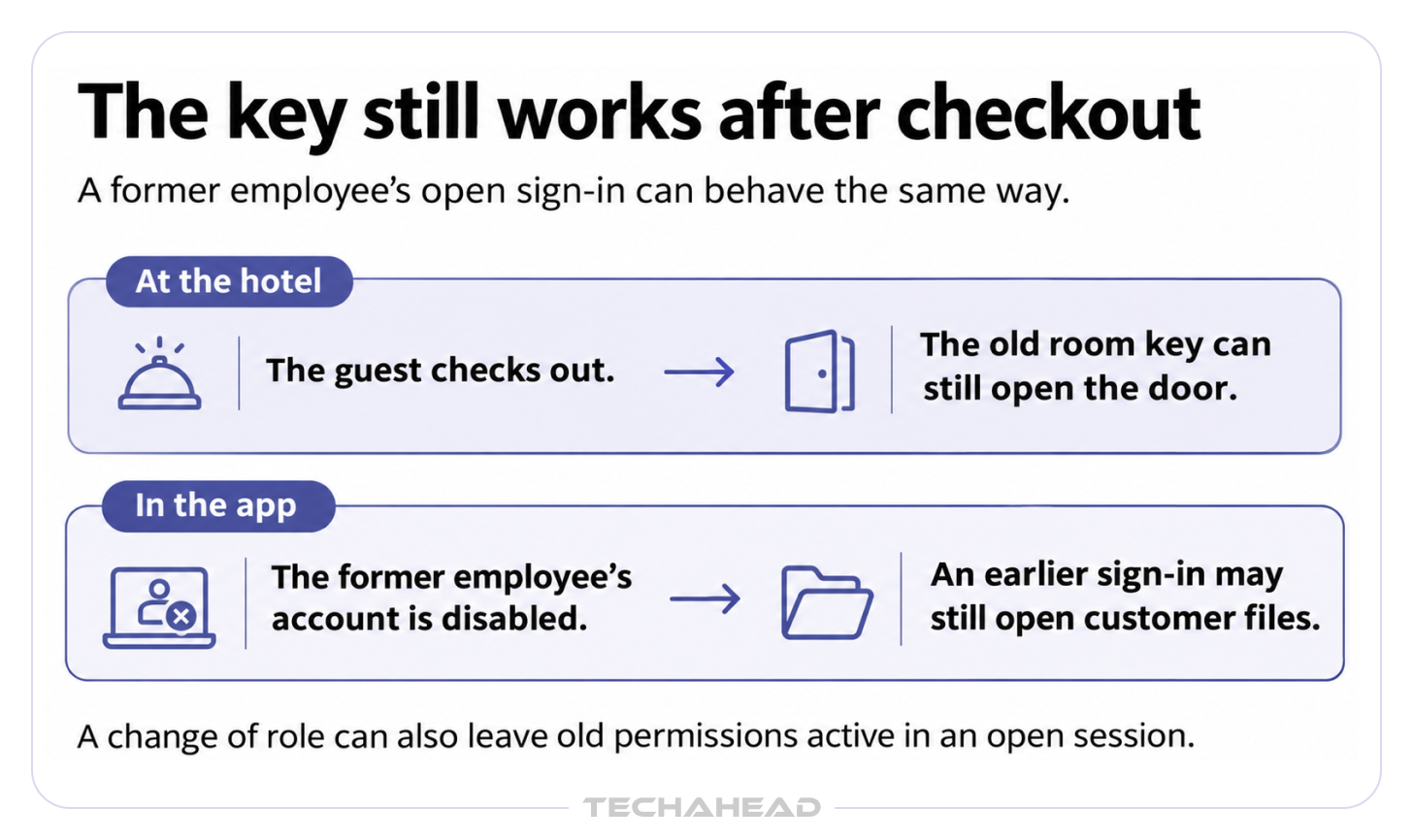
At a hotel, checking out updates the booking. If the room key still opens the door afterward, the front desk and the lock are working with different information. An application can have the same problem when an account is disabled while someone is still signed in.
Can a former employee still access customer files after their account is disabled? They can if the app continues to accept a sign-in that was already active. The account can be closed to new sign-ins while an earlier one remains valid.
A session is how the application remembers that someone has already signed in. A session ID is the browser token that points to server-side session state, and secure sessions should regenerate the session ID after login to reduce fixation risk. PHP session security covers how long that sign-in lasts and what happens when it ends. Session revocation ends a sign-in before it would otherwise expire. The OWASP Session Management Cheat Sheet explains why the server has to stop accepting the old session.
Set session cookies with HttpOnly, Secure, and SameSite flags to reduce token theft.
A role change can leave a similar gap. Someone moving from purchasing to customer support still needs to sign in. Their permission to approve purchase orders ends with the old job. If the app carries those permissions forward on an open session, the new role can show up in the account record while the approval button still works. The impact depends on what that access can do and how long it lasts.
A department manager approves a quote for five laptops. Before the order goes to the supplier, the quantity changes to ten. The new total is over the department’s spending limit, so it now requires finance sign-off. If the original approval still applies, the order can go through at a price nobody authorized.
Business logic vulnerabilities occur when the application allows an ordinary action under the wrong circumstances. The manager in this example has permission to approve purchases. The question is whether that permission still applies to this order after the amount changes. That’s part of business logic security. OWASP’s business logic guidance describes how this kind of decision can depend on the person, the action, and the current state of the record.
The approval channel can make a difference, too. The dashboard might use the new total while the approval link in an earlier email is still tied to the original quote. That’s how business logic vulnerabilities can leave finance looking at an “approved” order that already reached the supplier, with no sign-off for the final amount.
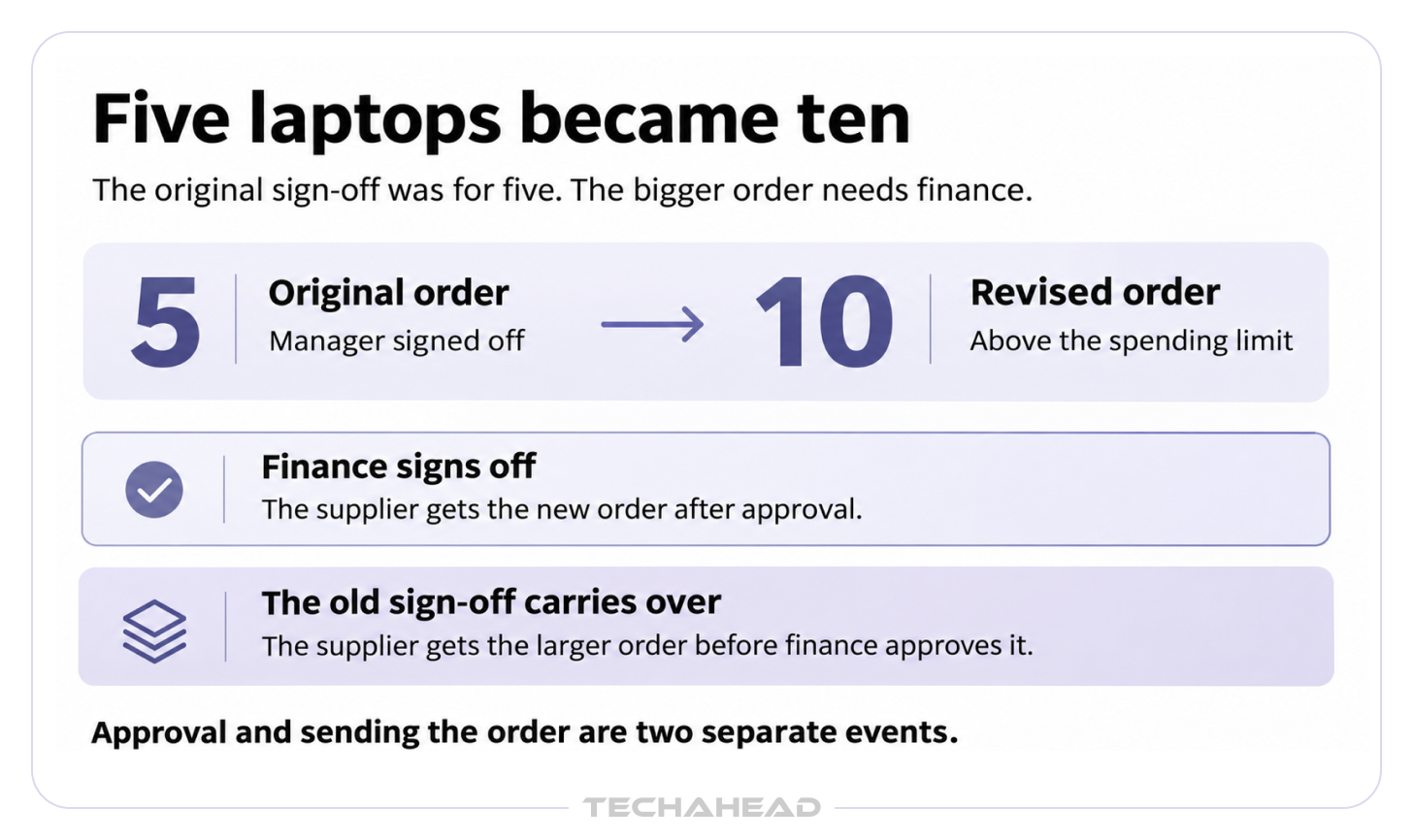
When a review finds that gap, PHP vulnerability remediation can include bringing both approval channels under the same rule for the final amount. The difference for finance is that ordinary orders keep moving while larger purchases wait for sign-off, wherever the approval started.
The revised laptop order is still marked “Awaiting finance approval” when a confirmation arrives from the supplier. The dashboard shows the approval finance owes. The supplier’s confirmation shows that the order has already gone out.
In this example, the deployment record confirms the PHP patch is live. The review follows the order through purchasing, finance, and the supplier’s system. The timestamps show when the dashboard marked the revised order as pending and when the supplier received it.
| Where the order goes | What the review finds | What that explains |
| Purchasing account | A manager who moved to another department has lost approval rights, even on a session that was already open. | The former role no longer lets that manager approve the order. |
| Finance dashboard | The revised total is above the spending limit, and the dashboard shows that finance approval is pending. | The app recognized that the higher amount needed a new approval. |
| Supplier connection | The revised order reached the supplier through the API while approval was pending. | The order was sent before the approval recorded in the dashboard was complete. |
The problem in this example is where the order leaves the app. Finance can see that approval is pending, but the supplier has already received the order. That gives engineering a narrower problem to investigate and gives purchasing a reason to check whether the supplier has begun filling it.
A follow-up review can show both sides of the fix. An approved order still reaches the supplier. A revised order that needs finance sign-off stays in the app until approval comes through. Those results describe the route the team reviewed. An email approval or another supplier connection may follow a different route.
If the security release also moves the app to a newer PHP version, the review may extend to reports and scheduled jobs. A report can finish on time and still contain the wrong numbers. That’s why testing business workflows during a PHP upgrade includes checking the results those workflows produce.
A report can say the app is patched, invoice access has been reviewed, and an export remains unexamined. All three can be true at once. For someone answering a customer’s question about how their invoices are protected, the difference matters more than a single overall rating.
Also Read: How AI Vulnerability Discovery Is Changing Application Modernization Strategy and Maintenance
A PHP security audit may combine automated checks for known issues with reviews of the application’s own rules. Each part adds a different kind of evidence.
SAST reviews source code during development to catch issues like SQL injection and XSS, while DAST tests running web applications from the outside to find common vulnerabilities; OWASP ZAP is a free example among automated tools used for this kind of scan. Combining SAST, DAST, and dependency scanning gives stronger coverage for PHP applications.
On the billing portal, API security testing can establish whether a partner can change an invoice. What that finding means for other partners depends on whether their accounts use the same permissions. If the assessment took place in a test environment, differences in the live app can also limit how far the result applies.
An application security assessment checklist can record which parts of the app were in scope. The findings explain what each result means for the business.
| Area | What the review found | What it means for the business |
| PHP runtime fix | The fix was running on the billing portal. | The portal has the fix for the PHP flaw addressed by that release. |
| Invoice access in the portal | In the accounts reviewed, each company could see only its own invoices. | The review found that the portal kept records separate in those cases. |
| Partner invoice permissions | A partner account could edit invoices it only needed to read. | That partner had more access than its accounting work required. |
| Scheduled invoice exports | Export permissions were outside the scope of the review. | The review leaves open whether scheduled exports keep records separate. |
The same distinction applies after a finding is fixed. In the partner example, an API authorization retest can show that the integration still receives the invoice details it needs and can no longer edit them. If a new export feature goes live later, the earlier report still describes the version originally reviewed. The new feature has its own access rules and remains outside those results.
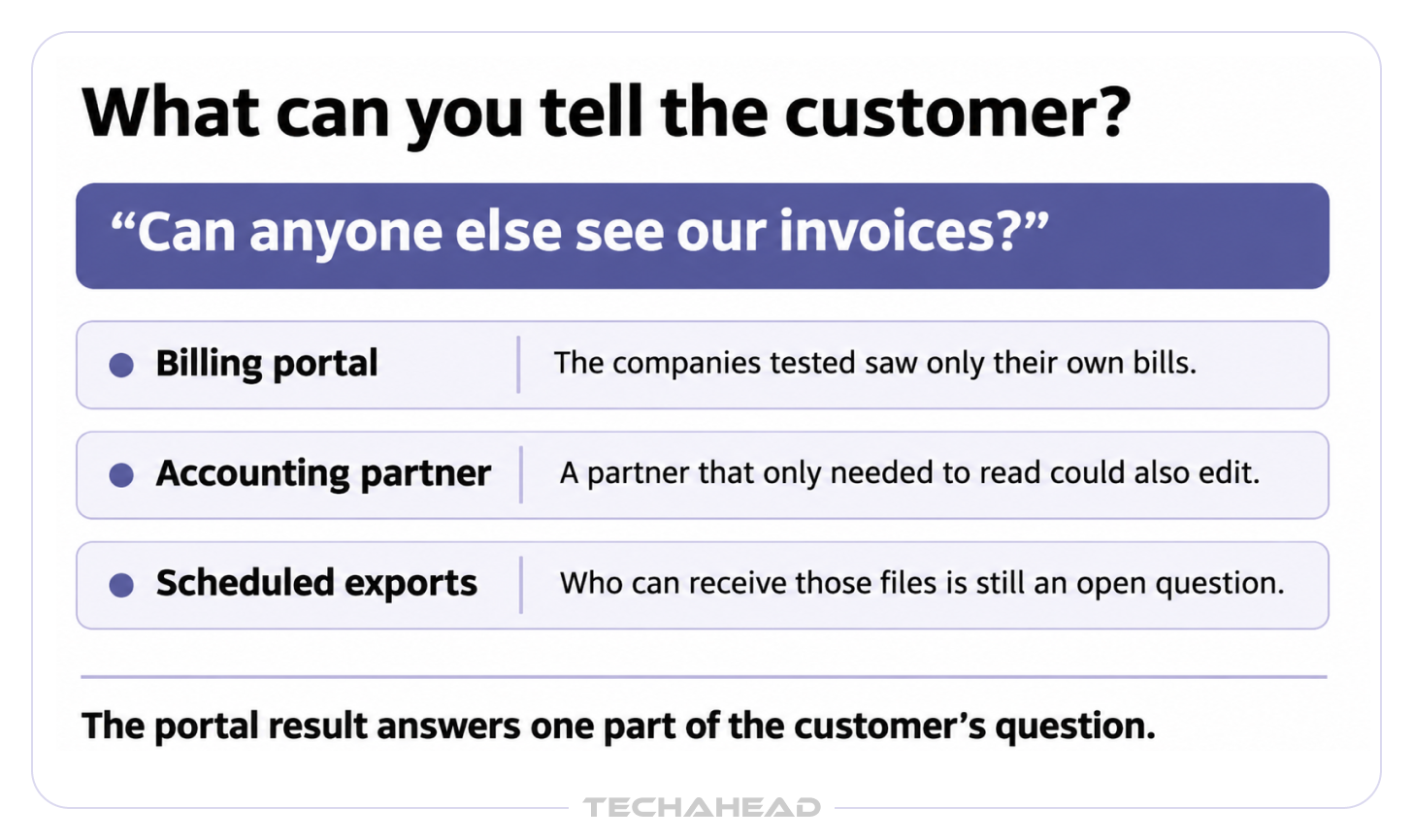
A new accounting integration raises a fairly specific question about a partner’s access to invoices. When a customer asks how the whole billing service keeps companies’ records separate, the answer may involve the portal, partner APIs, admin tools, and exports. A web application security audit can bring those parts of the service into the same review. For a SaaS platform preparing to onboard an enterprise customer, the results can show whether the product meets that customer’s data-separation requirements.
That review should also cover common web-application risks such as SQL injection, cross site scripting, and cross site request forgery. To prevent SQL injection, use PDO prepared statements and parameterized queries so database queries keep data separate from SQL.
Input validation is crucial, so validate user input on the server in PHP code, sanitize user input, and use PHP’s built in functions such as filter_var() to validate input types and formats. For output safety, always escape user input with htmlspecialchars() into html entities to stop malicious scripts, including injected script tags, from appearing in web pages through unescaped output.
In site request forgery CSRF, a forged request tricks a user into unintended actions, so every form should include a CSRF token as a random token against CSRF attacks. HTTPS encrypts data in transit, and teams should protect sensitive data and other sensitive information by encrypting sensitive data at rest as well. For authentication, use password hashing with password_hash() instead of storing passwords in plain text, and add multi factor authentication for important accounts.
For file uploads, secure file uploads by treating uploads as hostile, enforcing size limits, checking MIME types server-side, using unique names, and storing files outside the web root. For production hardening, keep error handling tight with proper error settings, turn off display and log errors, avoid dangerous execution in php code, apply a content security policy, test it in report only mode, and maintain a secure configuration for a secure application.
Scope and urgency can differ. A single partner with access to another company’s invoices is a concrete exposure, and how serious it is depends in part on the information involved and whether anyone accessed it. A scheduled export outside the review is an open question. It becomes more important when it includes sensitive records or goes to recipients outside the company.
A release can also change how far a familiar workflow reaches. Say a supplier integration starts sending purchase orders as soon as the app considers them approved. The approval rule now has consequences outside the dashboard. An error can send the supplier an order finance hasn’t signed off on. That’s why a post-patch review can cover the workflow as well as the software that connects the two systems.
When a PHP update is already live, the next question often comes from a specific part of the business. Finance may have seen an invoice a partner could edit. Operations may have an order marked approved with no sign-off on the final amount. Each example gives the review a concrete starting point.
TechAhead’s PHP vulnerability remediation services include finding where a PHP issue applies, making the changes needed for a patch, and checking the fix in production. When the concern is in the app itself, we can scope the roles and workflows involved, explain the findings in business terms, and define what a successful retest would show.
Discuss Your PHP Application Security
A patch closes the flaw it was released to fix. PHP application security also depends on whether the app keeps customer records separate, ends access when it should, and enforces approvals across the workflows your business uses.
Ask for the active build and deployment record for each affected production environment. TechAhead’s post-patch verification can confirm what serves live traffic, which builds run background jobs, and whether the original issue is resolved.
A clean scan means the scanner flagged no issues in the areas it checked. A PHP security audit can also review rules specific to your business, such as who can download customer records or approve a refund.
TechAhead uses representative customer accounts to check tenant isolation across agreed features, such as the portal, PDF downloads, and scheduled exports. The review shows whether each company can reach its own records and whether requests for another company’s records are blocked.
API authentication and authorization cover two decisions. The first confirms the partner’s identity. The second limits what the partner can see or change. API security testing can reveal whether a partner that reads payment status can also edit invoices.
Yes, if the application still accepts a sign-in from before the account was disabled. Session revocation ends that earlier sign-in. A review can establish whether offboarding also ends access from a browser that was already signed in.
Yes. Business logic vulnerabilities can let an order go out under an approval granted for a smaller amount. A post-patch review can check whether an order that crosses the spending limit waits for finance sign-off before reaching the supplier.
A useful application security assessment report names the version tested, the workflows reviewed, and the issues found. It also shows which fixes passed retesting, what remains unverified, and who owns each open finding.
PCI DSS v4.0.1 requires penetration testing after significant infrastructure or application changes where the requirement applies. Whether a PHP patch qualifies depends on its effect on your in-scope environment. Document the change and confirm its classification with your PCI assessor.
Keep the change approval, deployment record, test results, and any documented exceptions for the system in scope. These records can support an examination of relevant SOC 2 controls by showing how your team approved, tested, and verified the release
Involve your incident response team promptly. Preserve relevant logs and establish which records were accessible, when, and whether anyone actually accessed them. Those facts help your privacy and legal teams assess any reporting or notification obligations.
Outside help makes sense when a confirmed issue crosses systems your team and vendors manage and nobody clearly owns the fix. TechAhead can scope the PHP vulnerability remediation work with your teams and agree who will verify the result.
Run a supported PHP version and keep your dependencies patched. After each security update, verify that the fix is live and test who can view files, what API partners can change, and which actions still require approval.
Use composer audit to flag known vulnerabilities in dependencies, Psalm to check PHP source code, and ZAP to scan an authorized staging app. Complement those scans with PHP security testing focused on customer permissions and sensitive workflows.
We use cookies to ensure our website functions properly, improve performance, and provide a personalized experience. You can choose which types of cookies to allow below.
Required for core functionality such as security, network management, and accessibility. These cannot be disabled.
Help us understand site traffic and user interactions so we can improve performance and usability.
Enable enhanced functionality and personalization such as language or region preferences.
Used to deliver relevant ads, track campaign performance, and measure advertising effectiveness.