

Staff Augmentation
Access top-tier talent on demand: Dedicated, Hourly, or Flexible.


 Copy Link
 Share on X
 Share on Facebook
 Share on LinkedIn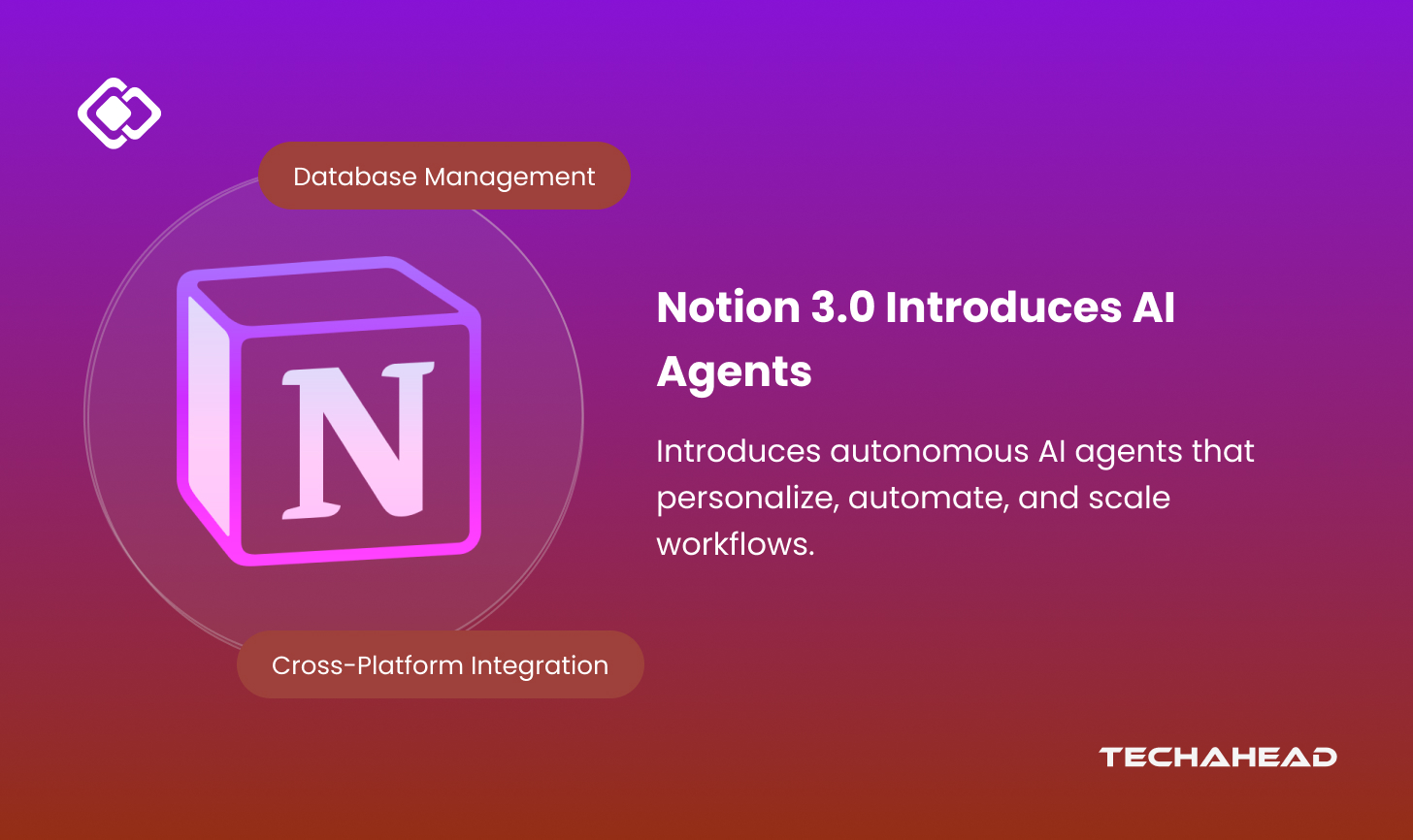
The journey from different productivity tools to unified intelligent workspaces has reached a revolutionary milestone with Notion 3.0. What began as Notion 1.0’s collaborative canvas for docs and knowledge evolved through Notion 2.0’s databases and integrations, and has now culminated in autonomous AI agents that execute complex workflows independently. For enterprise leaders struggling with fragmented tools and manual processes, Notion 3.0 represents a paradigm shift. As the industry moves beyond simple chatbots, we are seeing the rise of true agentic AI services. These agents can do everything humans can do in Notion: create docs, build databases, and execute multi-step workflows. Unlike traditional AI assistants, your personal Agent can take on entire projects. This is not just an upgrade; it is enterprise productivity reimagined.
Key Takeaways
- Notion 3.0 introduces autonomous AI agents that execute multi-step workflows without human oversight.
- Enterprise teams can automate database creation, content drafting, and process execution with simple prompts.
- Notion 3.0 scales to update hundreds of pages instantly, minimizing repetitive manual effort.
- Each AI agent can be personalized with organizational memory and custom instructions for teams.
- Workflow automation reduces decision-making delays, turning weeks of manual analysis into instant intelligence.
What is New in Notion 3.0 and 3.1?
Notion 3.0 and the subsequent 3.1 update are packed with innovative AI features that help you accelerate enterprise productivity. What is truly new is the introduction of autonomous AI Agents; these agents now perform nearly any task you can do in Notion. From building entire databases to drafting reports, you can update hundreds of pages with just a prompt.
The best part? Rather than just making suggestions, agents take real action for you, even pulling context from tools like Slack or Google Drive. Here is the evolution of Notion in the following table:
| Feature/Version | Notion 1.0 (2016) | Notion 2.0 (2018) | Notion 3.0 (2025) |
| Core focus | Note-taking, pages | Databases, wikis, integrations | AI Agents automate tasks at scale |
| AI Capabilities | None | Content improvement, suggestions | Autonomous agents handle multi-step work |
| Database handling | Basic | Relational, templates | Agents build/update 100s of pages at once and visualize location data via Map Views |
| Team Collaboration | Basic sharing | Enhanced permissions, team workflows | Custom/team agents, cross-tool automation |
| Integrations | Limited | Slack, Google Drive, GitHub | Real-time, multi-tool context integration, including Google/Notion Calendars and Private Slack Channels |
| Stats | – | 20M+ users (2021) | 100M+ users; 48% agent project growth (2025) |
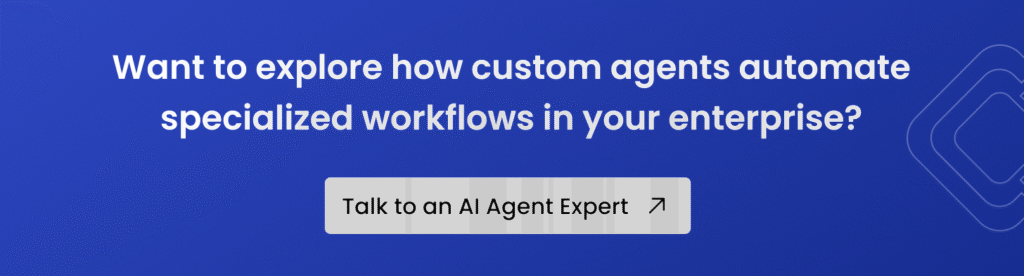
How Notion AI Agents Work
Notion AI Agents represent autonomous intelligence that executes complex tasks without much human oversight. For example:
Complete Workspace Automation
Notion AI Agents is a shift from passive assistance to active execution. They perform everything a human can do, such as creating docs, building databases from CSV files, searching across Calendars and tools, and executing multi-step workflows.
These agents leverage over “20 minutes of continuous multi-step actions” using Notion pages and databases. Overall, it transforms agents into intelligent teammates rather than simple productivity tools.
Advanced Task Execution Capabilities
Here, your AI agent handles complex, multi-step tasks autonomously so that you can focus on strategic initiatives instead of operational setup. The system can:
Database Management: Create pages and databases, update them with new data, properties, or views.
Cross-Platform Integration: Trigger actions from external platforms linked to Notion, such as automatically creating bug-tracking dashboards from external issue reports.
Intelligent Content Synthesis: Conduct research, draft detailed documents, and set up or update custom databases on demand.
Personalization and Memory System
Each agent can be personalized with custom instructions and context about how your organization works. The advanced memory system uses Notion’s own infrastructure (pages, databases, comments, and version history) to maintain context. As a result, it maintains consistent performance by understanding the evolution of organizational knowledge retention.
Enterprise Integration Architecture
These AI agents do not operate in isolation; they integrate with various data sources and even coordinate with other enterprise tools. It functions as a conductor of your digital ecosystem that completes multiple simultaneous actions. In this way, the new AI agent features on Notion 3.0 dramatically reduce time-to-value for business processes.
Learn More Zero-Click Shopping: How Autonomous Ecommerce is Changing the Way We Buy
Use Cases of AI Agents on Notion 3.0
Enterprise applications showcase how AI agents transform routine operations into strategic advantages through intelligent automation.
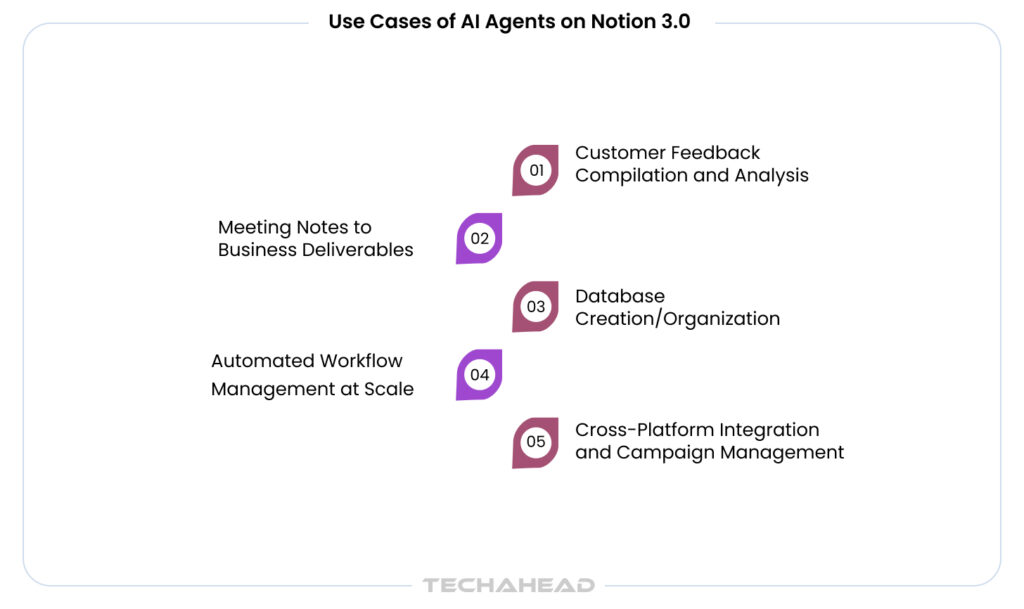
Customer Feedback Compilation and Analysis
When you need to understand what your customers are really saying, your AI agent is here to compile feedback from multiple sources like Slack conversations, email threads, and support tickets into actionable insights. It eliminates the manual work of sifting through hundreds of messages and transforms scattered feedback into strategic business intelligence.
Meeting Notes to Business Deliverables
Your busy schedule means meetings often end with good intentions but incomplete follow-ups. AI agents convert meeting notes from the new dedicated Meetings Sidebar into polished proposals. Besides that, you can set updated task trackers and follow-up messages based on Calendar context. Instead of spending hours after each meeting creating action items, you simply tell your agent what happened, and it handles the rest.
Database Creation/Organization
When you discover a new data source or content type that needs systematic tracking, your AI agent creates databases from scratch. This agent also provides structured analysis from various content sources. Whether you need to track industry competitors, organize vendor information, or catalog research findings, your agent builds the entire system.
Automated Workflow Management at Scale
Your agent works at a scale and updates hundreds of pages at once; it instantly spins up ready-to-use systems that used to take hours of busywork. When launching new projects or onboarding team members, you can delegate the entire setup process to your agent.
Cross-Platform Integration and Campaign Management
Your AI agent can generate email campaigns and coordinate multi-channel initiatives, for example, pulling context from your connected tools like Google Drive, Slack, and GitHub. When you are planning marketing campaigns or product launches, your agent coordinates across platforms. It pulls relevant assets, updates campaign databases, and maintains alignment between your various business tools without requiring manual intervention.
Read MoreAgentic AI Evaluation: Ensuring Reliability and Performance
TL;DR for the Notion 3.0 Enterprise Benefits
| Benefit Area | Feature | Advantage |
| Knowledge Management | AI Agents auto-create & update pages | Saves hours, removes information silos |
| Workflow Automation | Autonomous task execution | Faster decisions, less manual work |
| Security & Governance | Row-level permissions & private infrastructure | Full data control and compliance |
| Cost Efficiency | AI built into Business & Enterprise plans | Lower total cost, all-in-one platform |
| Scalability & Future-Readiness | Custom agents, new 3.1 updates | Easy to scale, future-proof automation |
What are the Benefits for Enterprise Teams of Using Notion 3.0?
Enterprise teams gain competitive advantages that eliminate the need for traditional knowledge management. Here are the business benefits you can expect from the new AI agents:
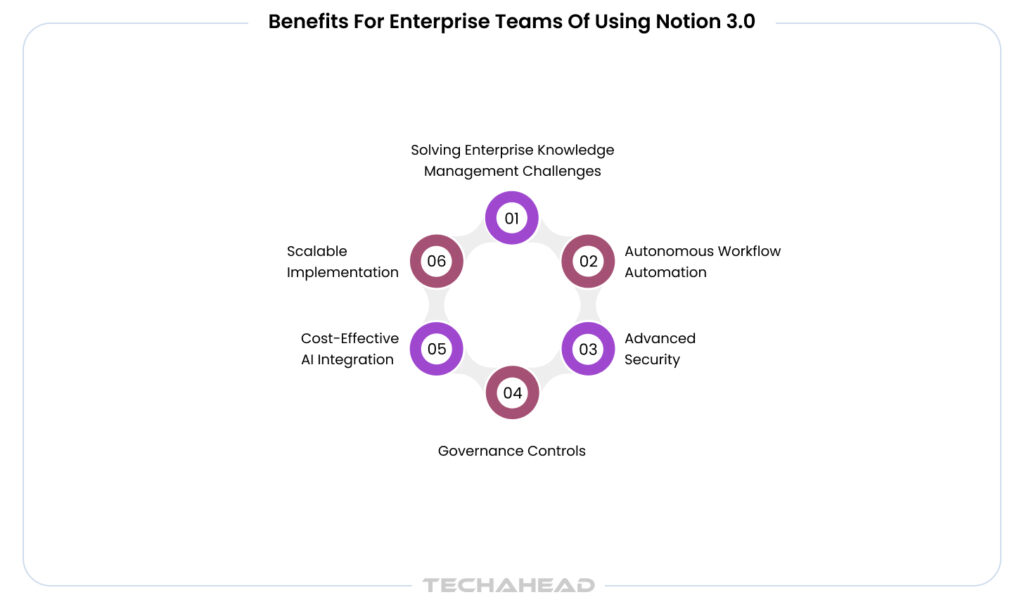
Solving Enterprise Knowledge Management Challenges
Knowledge workers spend 2.5 hours daily searching for information, and crucial insights remain buried. Moreover, traditional productivity platforms create information silos and sometimes force workers to manually compile data from multiple sources. However, Notion mitigates this without the need for a totally new enterprise app development company to rebuild your stack.
Here, Notion 3.0’s AI Agents directly address this challenge, where you can write a detailed prompt, and you can update/create hundreds of pages at once. Instead of dedicating valuable human resources, you can focus on strategic initiatives with AI agents.
Autonomous Workflow Automation at Enterprise Scale
Even in 2025, the biggest issue in enterprise operations is manual processes and slow decision-making. When launching new products, onboarding team members, or managing cross-departmental projects, teams spend countless hours on coordination.
AI Agents’ autonomous execution transforms this reality, such as building effective launch plans, breaking them into tasks, assigning responsibilities, etc. Moreover, you can expect actionable business intelligence that eliminates weeks of manual analysis.
Advanced Security and Governance Controls
One of the crucial parts of any AI platform is the security framework, especially when it comes to enterprise adoption. Notion 3.0 addresses this with enterprise-grade features, including database row permissions that allow precise control over who sees each data point. It means you can keep sensitive company information secure while consulting with clients or third parties.
Besides that, the platform’s memory system uses Notion’s own infrastructure that remains within your controlled environment. These custom agents follow your specific instructions for complete administrative oversight.
Cost-Effective AI Integration with Transparent Pricing
Unlike standalone AI tools that need separate subscriptions, Notion 3.0 includes AI Agents directly within Business and Enterprise plans (AI Agent trial in free plan). The Business plan starts at $20 per user monthly (annually), while Enterprise pricing is customized based on organizational needs.
It means you get workspace functionality, advanced AI capabilities, and most importantly, enterprise security in a single platform. In short, it reduces the total cost of ownership rather than investing in multiple specialized tools.
Scalable Implementation with Future-Ready Architecture
The platform’s custom agents represent the next evolution in enterprise intelligent automation. Now, you can run agents autonomously on schedules. Most importantly, it positions your organization ahead of competitors who are still relying on reactive workflows.
With the recent Notion 3.1 update, the platform has already launched new features such as Map Views, Calendar Search, additional Private Slack integrations, and other updates based on enterprise needs.
How to Use Notion 3.1 to Automate your Daily Tasks?
It’s great to know what Notion 3.1 can do, but believe me, it’s even more fun to use it. Here are the 3 simple prompts that you can use to automate a lot of manual work.
Check your Application
You can ask the agent to read your messages and appointments with a prompt like, “Check my Google Calendar and unread Slack DMs. Create a prioritized checklist of risks I need to handle before noon.”
Extract Information from Data
Let Notion 3.1 do the heavy lifting for you, throw massive CSV files, and let it extract valuable information from the raw data. Use the prompt, “Take this CSV file of sales leads, convert it into a database, and summarize the top 3 opportunities.”
You can customize and create the prompts according to your use case. The more clearly you can communicate, the easier it is for your AI Agent to deliver.
Conclusion
AI agents represent the next evolution of enterprise productivity; they do not just automate tasks, they understand context and execute complex workflows autonomously. In short, businesses that integrate intelligent agents will gain competitive advantages. Ready to transform your enterprise with AI Agents?
At TechAhead, we specialize in implementing the latest enterprise AI solutions that drive real business results. Our expert team helps you integrate intelligent automation into your existing workflows that maximize ROI.
What exactly are Notion 3.0 AI Agents and how do they differ from traditional AI assistants?
Notion 3.0 AI Agents are autonomous digital teammates that can perform any action you can do in Notion; creating documents, building databases, managing workflows. Unlike traditional AI assistants that simply respond to prompts, these agents execute complex multi-step tasks independently.
How secure are AI Agents for enterprise data and sensitive information?
Notion 3.0 includes enterprise-grade security features that allow precise control over data access. The agents operate within your controlled Notion environment, and you can set specific instructions about what databases they can edit and what actions they are allowed to perform.
Can AI Agents integrate with our existing enterprise tools and systems?
Yes, Notion 3.0 supports advanced integrations through MCP (Model Context Protocol) connectors and can work with external platforms linked to Notion. The agents can trigger actions from connected tools and coordinate multi-platform workflows.
What happens if an AI Agent makes an error or performs an unintended action?
All AI Agent actions are trackable within Notion’s existing revision history and collaboration features. You maintain full administrative oversight, can review all changes, and have standard Notion undo/revision capabilities. The agents follow your explicit instructions, reducing the likelihood of unintended actions.
What types of enterprise workflows can AI Agents handle autonomously?
AI Agents can manage project launches (building plans, assigning tasks, drafting documents), compile and analyze customer feedback from multiple sources, create comprehensive databases, handle meeting follow-ups, coordinate marketing campaigns, and update hundreds of pages simultaneously across your workspace.