


 Copy Link
 Share on X
 Share on Facebook
 Share on LinkedIn
Always Active
Required for core functionality such as security, network management, and accessibility. These cannot be disabled.

Uncover the transformative potential of digital and mobile solutions for your industry.





 Last Updated: Sep 22, 2026
May 15, 2026
Last Updated: Sep 22, 2026
May 15, 2026  536
536  13 min. Read


Key Takeaways
Your AI chatbot sounds smart. It answers questions fluently. But ask it to send an email, update a spreadsheet, or summarize your actual files, and it fails completely!
Why?
Modern AI models predict text brilliantly, but they’re fundamentally disconnected from your real data, tools, and business systems.
This is the gap that Model Context Protocol (MCP) solves.
For enterprises, implementing MCP successfully often requires AI development services that can connect models securely with internal data, business tools, and production workflows.
Think of it this way: A traditional USB cable is proprietary; your phone charger doesn’t work with your laptop, which doesn’t work with your tablet. Then USB-C arrived as a universal standard, and everything suddenly connected seamlessly. That’s what MCP does for AI.
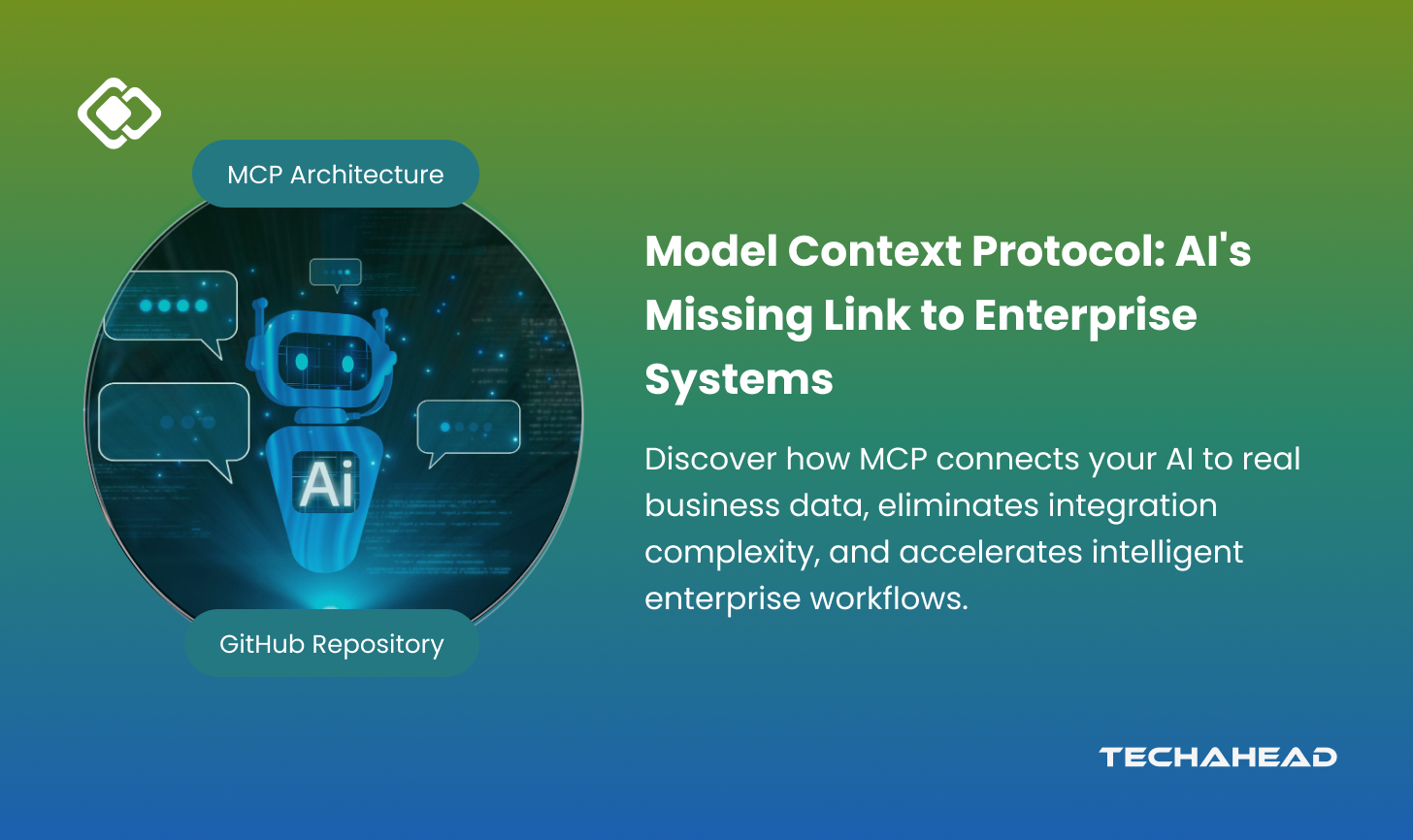
Launched by Anthropic in November 2024, MCP is an open standard that standardizes how AI models connect to external tools, data sources, and services. Instead of building custom integrations every time you want your AI to access a database, CRM, or API, MCP provides a single “nervous system” that AI applications can tap into.
By the end of this guide, you’ll understand MCP’s architecture, why it matters, and how organizations are already using it to break free from “integration hell.” No jargon required: Just plain English explanations with real examples.
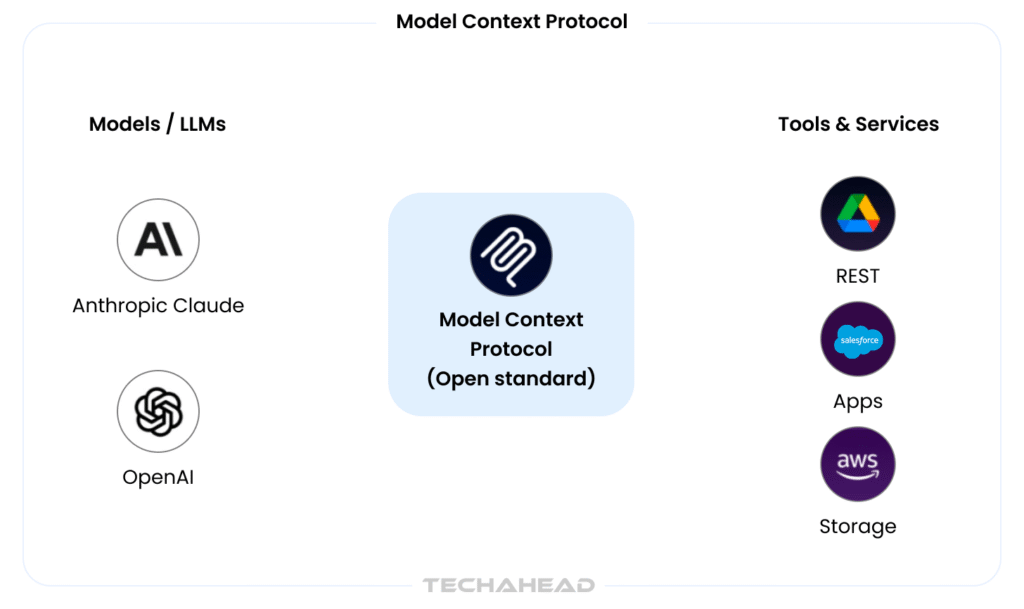
What is MCP? Source
Large Language Models like GPT-4, Claude, and Gemini excel at one thing: predicting the next word. They’re trained on massive amounts of text and can hold sophisticated conversations. But here’s the critical limitation: they have no direct access to your data, systems, or the ability to take action in the real world.
A ChatGPT instance can’t access your email inbox. Claude can’t pull live data from your database. Neither can execute code directly or modify files without external assistance. They’re conversational, but contextually blind.
Today’s workaround is messy. Every time you want an AI to access a new tool, developers must:
Real-world example: If you’re building an AI IDE that needs access to GitHub, documentation databases, and a debugger, that’s three separate integration projects. Add Slack, Jira, and your internal databases, and suddenly you’re managing a dozen point-to-point connections.
Companies like Perplexity have reportedly built specialized “search hacks” to bypass these limitations. But these are band-aids, not solutions.
Industry data shows:
This is why MCP was created: to eliminate the custom integration tax.
Model Context Protocol is an open-source standard that enables AI models to connect to tools, data sources, and services through a standardized interface.
Here’s the key: MCP isn’t a model. It’s not an AI application. It’s the protocol, the agreed-upon rules and message format, that AI applications and external services use to talk to each other.
MCP uses JSON-RPC 2.0, a lightweight remote procedure call protocol, to enable bidirectional communication between AI clients and servers. This means:
Before USB-C, every device manufacturer had their own charging cable. Your phone charger didn’t work with your laptop. You carried five cables. USB-C standardized the connection, now one cable works everywhere.
MCP does the same for AI. One protocol. Multiple tools. No proprietary cables required.
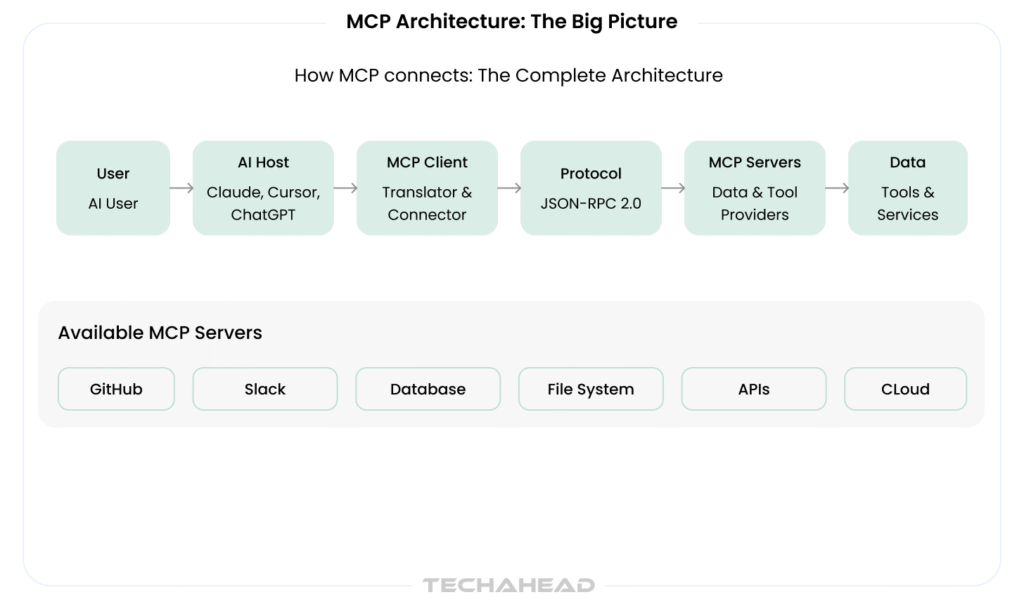
Source: TechAhead AI Team
Hosts are the AI applications that end-users interact with. Examples include:
The host initiates connections and sends requests for data or tool execution.
The client is the part of the host that manages the MCP connection. It:
Think of it as the “translator” between the AI and external systems.
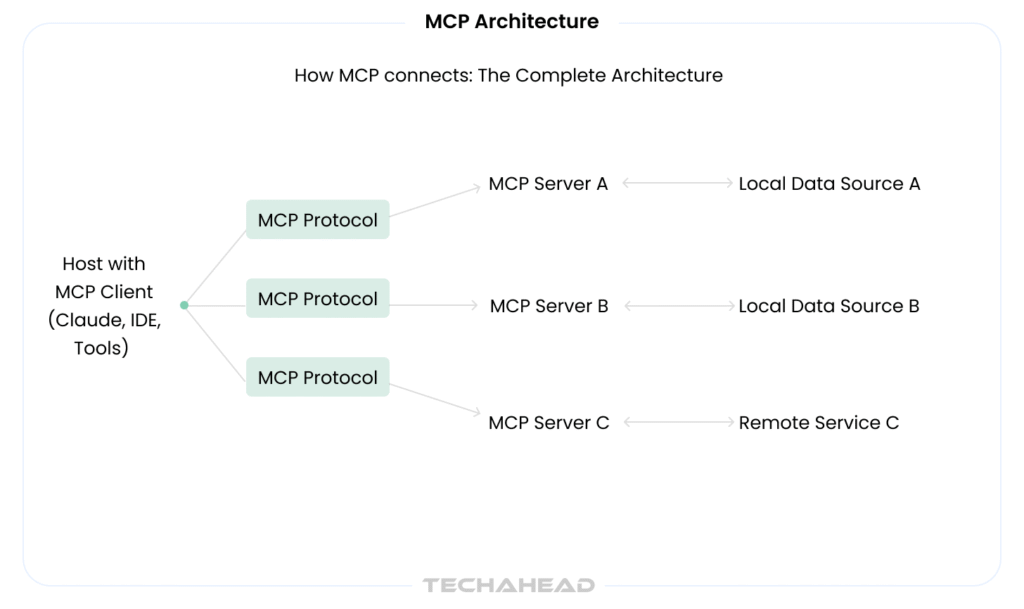
MCP servers expose data and tools. They:
Examples:
The protocol defines:
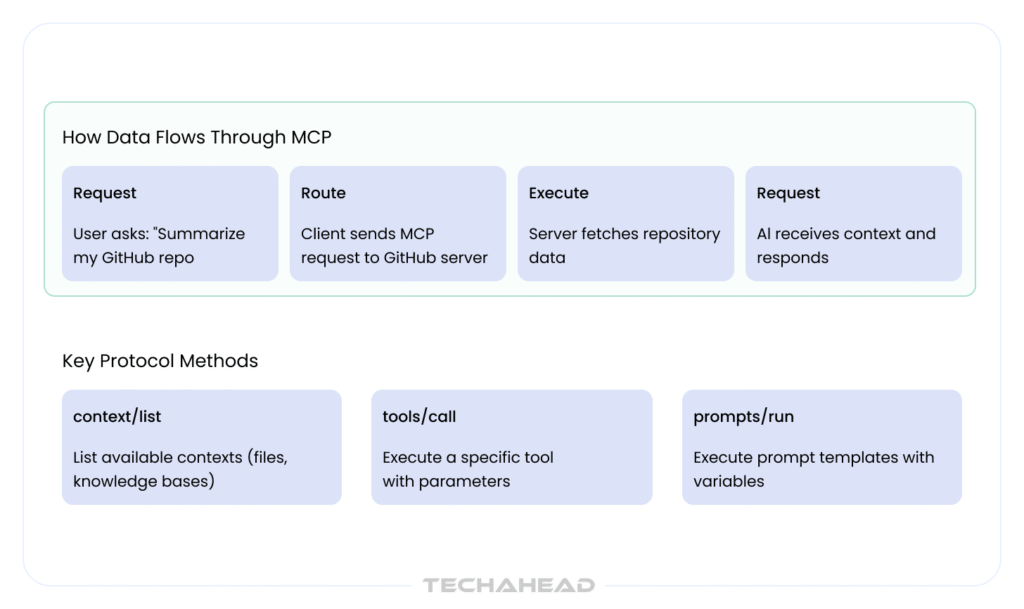
Example: AI Summarizing a GitHub Repository
Hosts are the AI applications themselves. They’re where users interact with AI. Recent examples include:
The client component embedded in each host handles all MCP communication. It’s responsible for:
MCP servers are built and deployed by organizations to expose their tools and data. They can run:
Popular MCP servers include:
| Server Type | Purpose | Provider |
| GitHub MCP | Repository access, commits, PRs | Anthropic |
| Slack MCP | Channel access, messaging | Anthropic |
| PostgreSQL MCP | Database queries | Community |
| File System MCP | Local file access | Anthropic |
Organizations can build custom servers for proprietary systems, using SDKs provided by Anthropic (Python, Node.js, Go).
MCP defines three primary method categories:
1. Context Methods
2. Tools Methods
3. Prompts Methods
Security Architecture:
Every MCP connection includes:
Step 1: Setup Install the MCP client SDK into your AI application. For developers: npm install @anthropic-ai/sdk (Node.js) or pip install anthropic (Python).
Step 2: Discovery and Connection The client discovers available MCP servers (either configured locally or remotely). It establishes a secure connection with authentication (API keys, OAuth tokens, or mutual TLS).
Example configuration:
{
“servers”: {
“github”: {
“url”: “stdio://github-mcp-server”,
“auth_token”: “your-github-token”
},
“slack”: {
“url”: “http://localhost:3001”,
“auth_token”: “your-slack-token”
}
}
}
Step 3: Request The AI model (or user, through the host) sends a request. For example:
Step 4: Execute The server receives the request, validates permissions, executes the operation, and returns results.
Step 5: Response and Integration The server responds with context (data, documents, tool outputs). The AI model receives this context and generates informed, grounded responses.
MCP includes built-in error handling:
| Metric | Traditional Custom Integration | MCP Approach |
| Integration Time | 2-4 weeks per tool | 2-4 hours per tool |
| Vendor Lock-in | High (proprietary code) | None (open standard) |
| Scalability | Nightmare (10+ tools = months) | Linear (plug-and-play) |
| Maintenance Burden | Continuous (each tool separately) | Minimal (standardized updates) |
| Developer Cost | $50k-$100k per integration | $5k-$15k per integration |
| Security Model | Ad-hoc (custom per tool) | Built-in (standard controls) |
| Ecosystem Growth | Dependent on single vendor | Community-driven |
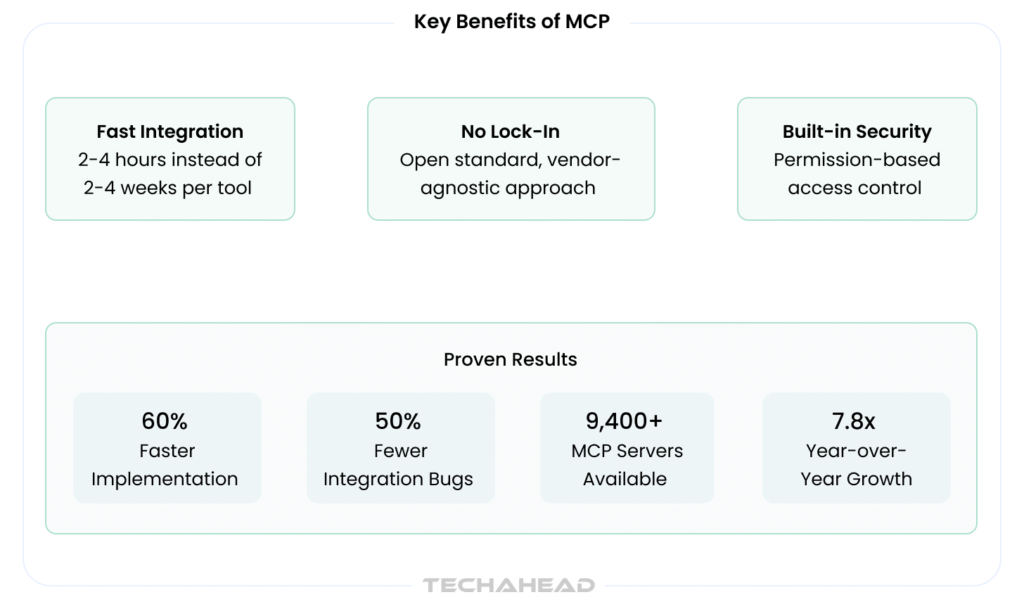
Before MCP, each tool required unique connector code. With MCP, one protocol works across all servers. This has immediate benefits:
With MCP, you can orchestrate workflows that touch multiple systems:
Real example:
All in one agentic workflow. Without MCP, each step would require custom integration code.
MCP includes security by design:
As of April 2026, the MCP ecosystem includes:
Organizations using MCP report:
1. Install the SDK
# Node.js
npm install @anthropic-ai/sdk
# Python
pip install anthropic
2. Configure Your Servers Create an mcp-config.json file with your server list and authentication tokens.
3. Write Your First MCP Client
from anthropic import Anthropic
client = Anthropic()
# MCP configuration is passed to Claude
response = client.messages.create(
model=”claude-3-5-sonnet-20241022″,
max_tokens=1024,
tools=[
{
“type”: “mcp_tool”,
“name”: “github_list_issues”,
“description”: “List open GitHub issues”
}
],
messages=[{“role”: “user”, “content”: “List my open issues”}]
)
4. Test with Public Servers Anthropic provides demo MCP servers for testing:
Resources:
If you use AI tools like Claude or Cursor, you’re already benefiting from MCP:
AI IDEs like Cursor use MCP to access:
Result: Real-time AI code suggestions grounded in your actual codebase.
Sales teams use MCP-connected AI to:
Result: AI that actually knows your customer data.
Support agents use MCP to connect AI with:
Result: Support AI that has context.
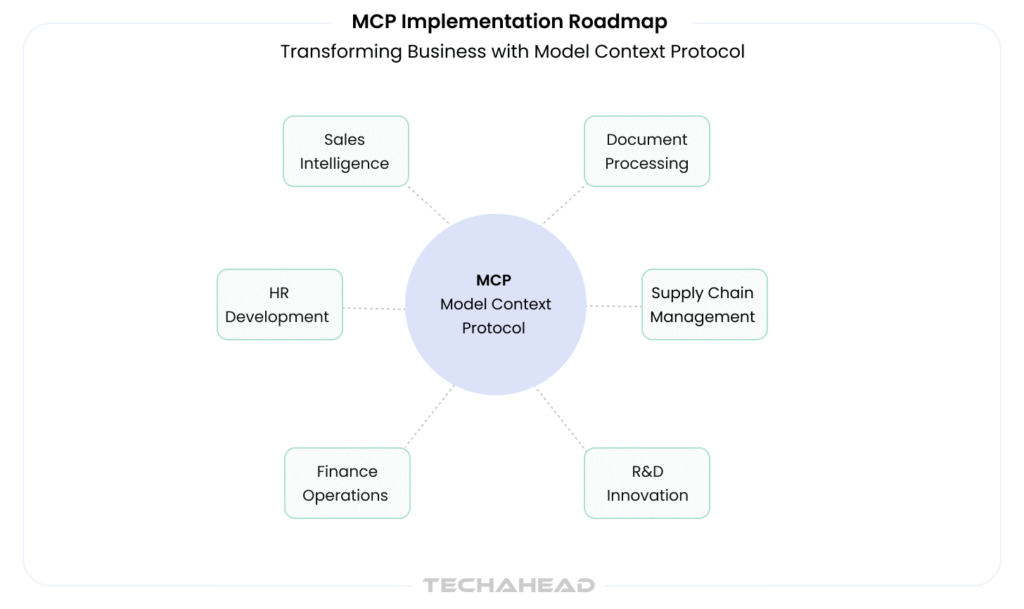
Corporations deploy MCP to orchestrate:
MCP launched in November 2024. It’s still evolving:
Building a custom MCP server requires developer work. It’s not drag-and-drop yet.
Latency in chained MCP calls (multiple servers per request) requires:
Full ecosystem adoption will take 2-3 years as organizations migrate legacy integrations.
MCP isn’t just about simplifying integrations. It’s about unlocking true agentic AI Universe: Smart AI systems that understand context, take grounded actions, and operate autonomously across enterprise systems.
Model Context Protocol is the missing link in enterprise AI.
It’s the difference between AI that talks and AI that acts, between information extraction and real business impact.
Your next step: If you’re building AI applications, start exploring MCP today. Check the official repository, test with demo servers, and begin planning your MCP architecture.
The future of AI isn’t just smarter models. It’s smarter connections.
Transform your enterprise AI strategy. Contact TechAhead to design and deploy MCP solutions that deliver measurable business results.
MCP is an open standard enabling AI models to securely connect with external tools, data sources, and standardized services..
MCP provides standardized connections instead of custom code, reducing integration time from weeks to hours per new tool exponentially.
Faster implementation, lower costs, reduced vendor lock-in, built-in security, improved developer productivity, and measurable operational efficiency gains organization-wide.
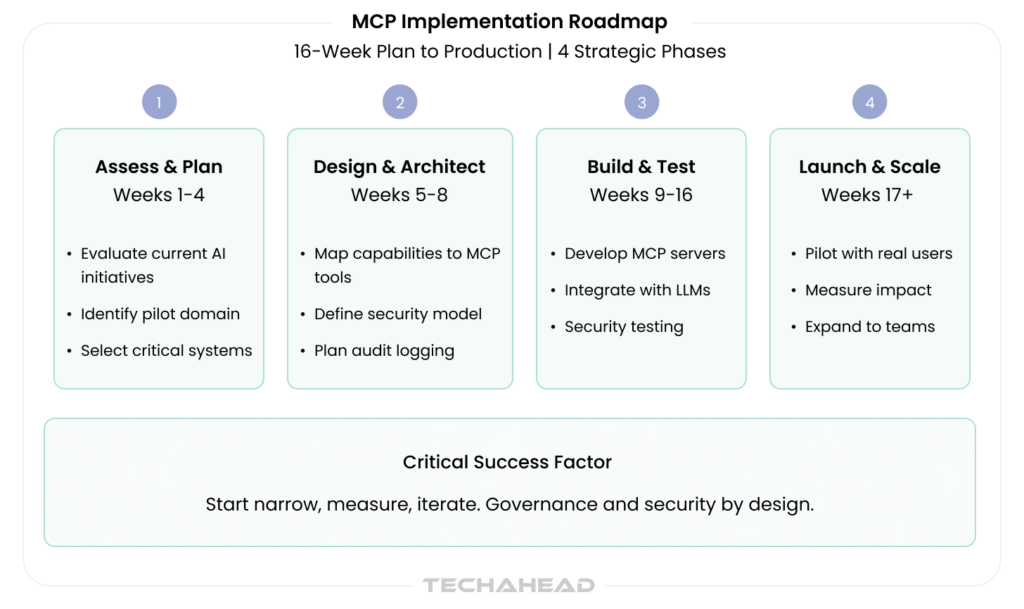
Implementation takes four phases spanning sixteen weeks: assess and plan four weeks, design and architect four weeks, build and test eight weeks, launch and scale ongoing.
Leading enterprises, including Anthropic, GitHub, Salesforce, and community organizations, deploy MCP servers for development, sales analytics, and enterprise workflows.
We use cookies to ensure our website functions properly, improve performance, and provide a personalized experience. You can choose which types of cookies to allow below.
Required for core functionality such as security, network management, and accessibility. These cannot be disabled.
Help us understand site traffic and user interactions so we can improve performance and usability.
Enable enhanced functionality and personalization such as language or region preferences.
Used to deliver relevant ads, track campaign performance, and measure advertising effectiveness.