


Always Active
Required for core functionality such as security, network management, and accessibility. These cannot be disabled.

Incubating a culture of innovation & creativity
Uncover the transformative potential of digital and mobile solutions for your industry





TechAhead is a full-service iPhone app development company whose high
standards, comprehensive solutions, and competitive pricing make us one
of the best app developers in the industry.
Our team at TechAhead, a leading iPhone application development
company, can bring iPhone users what they need: a light, clean design,
and a user-friendly interface! We’ve created iPhone apps for many
different industries and purposes. We are innovators; we offer custom
mobile app development for businesses that need unique, jaw-dropping solutions.
Our multi-faceted approach allows us to bring your project from idea
development during Phase Zero to a successful launch of your
application on Apple’s App Store.
700Global brands & startups served

35Top mobile app developer awards
13Years of Successful Track Record
2kMobile Apps Delivered
We simply love making iPhone apps. iPhone application development is fun
for us, but we take our jobs seriously. We understand that apps need to
provide effective solutions for our clients’ needs. That’s why we have a
host of well-established processes that make every investment timely and
cost-effective.
01
The exponential rise in mobile technologies has brought new scope
& opportunities for entrepreneurs to augment their business
workflow. TechAhead comes up with its years of expertise to
deliver futuristic enterprise mobility solutions that can maximize
revenue and boost customer satisfaction.
02
Since TechAhead houses a huge team of world-class cross-platform
developers, you don’t have to make the mind-wrenching decision
between iOS, Windows, and Android. You can engage in
cross-platform app development and build an app that will work on
different kinds of devices.
03
Being an iOS application development company, our expert team of
in-house consultants, designers, and application developers cover
the entire product development life cycle from concept to
distribution for all iOS devices.
04
We offer mobile consulting services to shape and improvise your
business mobility needs. Our team listens to your business goals,
identifies solution feasibility, conducts industry research, and
advises the best roadmaps for iOS app development.
05
We follow a systematic approach that result in designs that are
intuitive, engaging, flexible & creative. Not only do we give our
applications a distinct visual identity, but we also take pride
with our UI/UX design approach that provide a world-class user
experience.
06
TechAhead provides full-cycle QA and software testing services
that enable the organizations to create robust digital solutions,
ensure maximum test coverage, and deliver high- quality results.
We ensure continuous quality enhancement across the enterprise.
At TechAhead, we can build you a custom app that your company will be
proud of for iPhones and iPads, as well as Windows mobile devices, so
you can get everything you need without having to turn to more than one
company.
TechAhead has been among the Top 10 mobile app companies since 2013.
We have also won accolades as a top mobile app development company
from Clutch & GoodFirms.
When you partner with us, you get access to a dedicated team of iPhone
app developers along with Business Analysts, UI/UX designers, Quality
Testers and Project Managers.
Our talented iPhone app developers have consistently delivered
flawless apps to clients. Their deep expertise in multiple technology
stacks enables rapid development, testing and deployment.
We develop unique apps that are scalable, secure and robust. We pursue
a customer-centric approach to app development, which enables us to
maximize business value for clients.


 Swift
Swift Xcode
Xcode Flinto
 Sketch
 Adobe Photoshop
 Test Flight
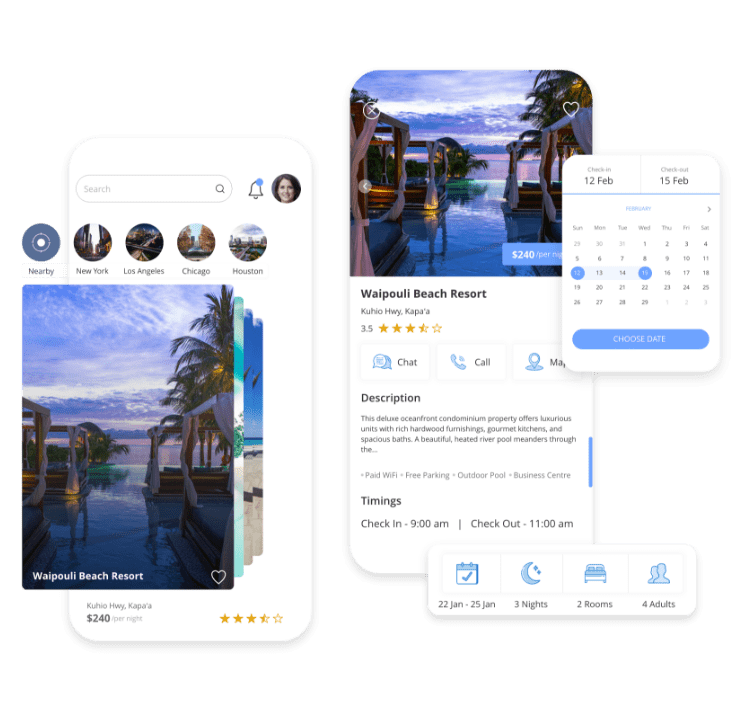
Helped world’s premium vacation host scale to millions of dollars
in revenue
At TechAhead, we house a team comprised of the top iPhone app
developers in the industry. They have been creating apps for
Apple’s iOS for years and are fluent in the several coding and
programming languages that the iPhone requires. We offer an
end-to-end iPhone application development service, one that
covers marketing research, analysis, consulting, design,
development, testing, and maintenance.
For example, we take the time during our consulting and
research phases to really delve into learning about your
business and discovering what would make your app successful.
During the testing phases, we ensure that the app will work
well on any network.
Many of our clients think of us as an iPhone app development
company, but we’re so much more than that. We can also provide
cross-platform app creation for those looking to create
something that will work well across devices.
Our team can work with you to find the best solution for your
user base, whether they are your clients, customers, or
employees. Contact us today. We are an iPhone application
development company and much, much more. We can provide you
and your company the amazing results you desire!
Objective C and Swift are two main programming languages used
to develop native iOS apps. Objective C is an old language,
while Swift is a modern, faster language, and most of the
companies and developers are now shifting to Swift as a de
facto programming language of choice as it is safe to use,
concise, supports playgrounds, offers better memory
management, etc.
Native apps, as the name suggests, are used to build apps for
a specific platform – iOS / Android, and thus programming
language used would differ based on the platform.
For native Android app development – developers’ program on
languages such as Java or Kotlin, while for Native iOS app
development choice of the programming language is Swift or
Objective-C. As the native apps are written for a specific
platform – they are more responsive, faster, and perform
better in case of animations. Native apps are also preferred
over cross-platform apps when data protection and security is
crucial.
Cross-platform apps, also known as Hybrid apps, are coded once
and run on multiple platforms. We can use different
technologies to develop Hybrid apps like React Native,
Flutter, Xamarin, Ionic to code the mobile app using a browser
supported technologies such as HTML, CSS, JavaScript. Hybrid
apps have their own advantages like single code base, overall
lower development cost, easy maintenance, and faster delivery.
We use cookies to ensure our website functions properly, improve performance, and provide a personalized experience. You can choose which types of cookies to allow below.
Required for core functionality such as security, network management, and accessibility. These cannot be disabled.
Help us understand site traffic and user interactions so we can improve performance and usability.
Enable enhanced functionality and personalization such as language or region preferences.
Used to deliver relevant ads, track campaign performance, and measure advertising effectiveness.